Connect the entrance to the exhibitor’s next conversation. Plan registration, check-in and badges, then let booth teams scan leads, add notes and qualify contacts for follow-up.
Both platforms provide in-person event tools. Focus your evaluation on the arrival operation, what exhibitors can capture and who can access the resulting lead records.
Options depend on the selected plan and service scope.
Scope attendees, booths, scanning access, printers, badge stock and optional trained staff for the venue.
Custom pricing and onsite services are available. Confirm equipment, staffing and local delivery scope. [1]
At the exhibitor’s booth
Keep the context behind every badge scan.
Walk through this EventDay lead-capture process with the fields and booth roles your exhibition will actually use.
01
Scan the badge
An authorized booth-team member scans the attendee QR code in EventDay.
02
Review permitted details
Show the attendee fields the organizer has chosen to share.
03
Qualify the conversation
Mark the lead Hot, Warm or Cold while the discussion is fresh.
04
Add the follow-up context
Save notes that explain the visitor’s needs and the next action.
05
Review the lead record
Check the booth team’s reporting access and agree the permitted export fields before the event.
Existing product views below illustrate capture and reporting. They are demonstration screens, not customer conversion results or a sample export.
Capture the conversation
A scanned badge should come with useful follow-up notes.
Use the existing EventDay capture view to review qualification and notes. In the demo, check the fields that each booth team can see before approving the event setup.
Scan the attendee badge with authorized exhibitor access.
Review the leads your team will use after the show.
The product includes lead reporting and follow-up workflows. Inspect a permitted record with the team and specify the required export fields and access roles in your brief.
Review captured lead volume and qualification.
Agree who can access each booth’s records.
Confirm export format and data-sharing requirements.
DECE 2026 provides arrival evidence: around 1,900 attendees in under two hours, using three fast QR lines and two assisted lines. Prepared badges were handed to ready attendees in about 15 seconds. This case demonstrates the entrance operation; it does not measure exhibitor leads, conversion or exhibition revenue.
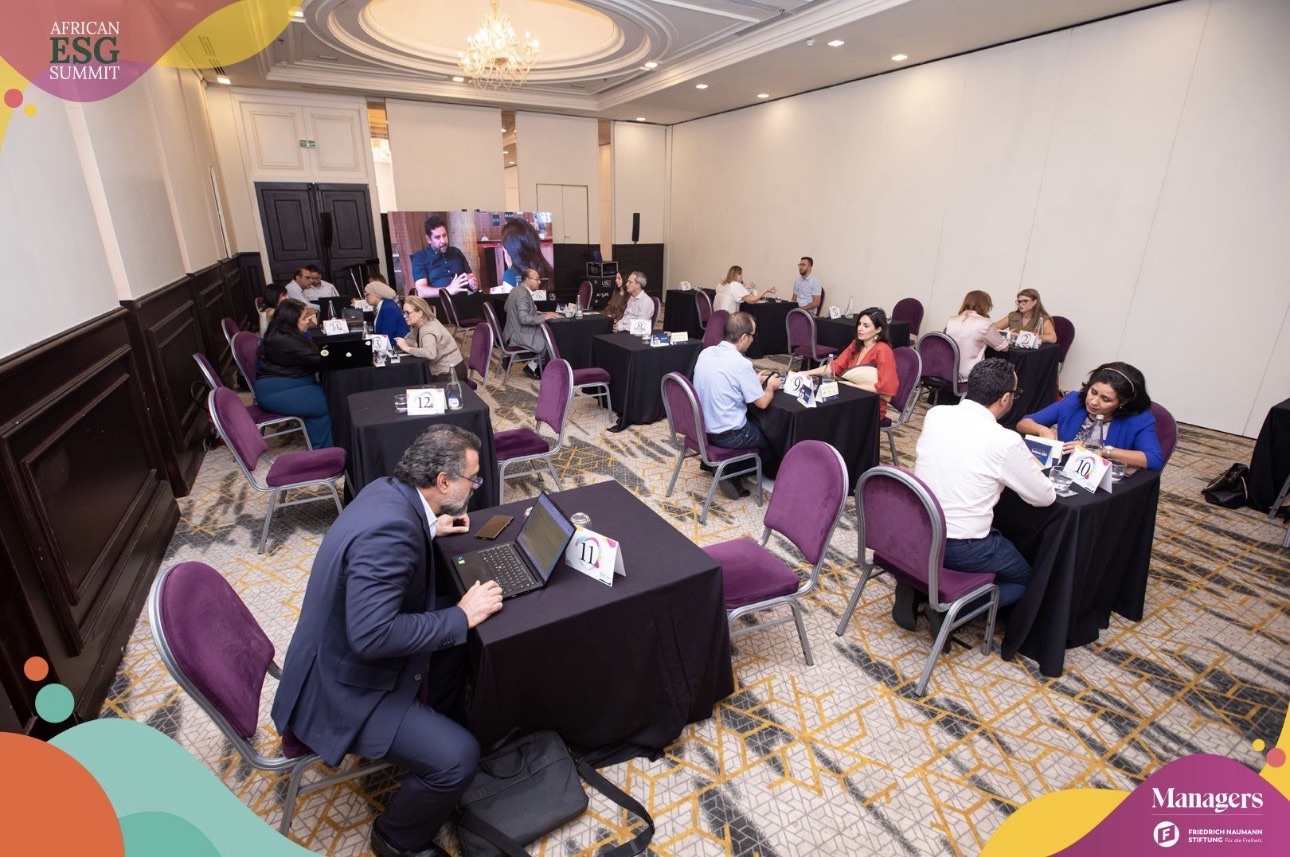
If your exhibition also has a conference or meeting programme, the African ESG Summit provides a networking example: more than 150 business meetings in one morning, supported by booking, automatic locations and reminders. This is a meeting result, not a lead-conversion claim.
Build an exhibition quote around entry and exhibitor access.
Tell the team how visitors will arrive and how many booth teams need scanning access. Register and Network list lead capture as an add-on; Scale includes a lead-capture allowance. Confirm booth licensing, staff access and additional capacity in the proposal.
Prepare attendee IDs and booth permissions before the first scan.
Move the physical exhibition workflow in a defined scope. Badge identifiers, booth access and data-sharing rules need testing together; historical virtual environments, chats and credentials are not automatic transfers.
Eventrize fits your brief when
Your event is a physical exhibition or conference with exhibitor booths.
You want registration, arrival and lead capture scoped together.
You need a practical demonstration of permissions and follow-up records.
Prepare the move with the Eventrize team
Map attendee fields, ticket categories, consent records and badge identifiers. Agree any replacement QR process.
Prepare the exhibitor list, booth teams and scanning access; define which attendee fields may be shared.
Test entry, a walk-in, a badge reprint and a booth scan. Verify record access and export requirements with an authorized exhibitor.
Questions about a vFairs alternative for in-person events
Is vFairs only a virtual event platform?
No. vFairs offers in-person registration, check-in, badges, apps and lead capture. This comparison focuses on Eventrize’s physical exhibition workflow, with an event-specific proposal and a lead-scanning demonstration.
How do exhibitors capture and qualify leads?
Authorized exhibitor staff scan attendee QR codes in EventDay, add notes and rate contacts Hot, Warm or Cold. The organizer controls which attendee fields are shared. Confirm booth-team access and the selected lead-capture package before launch.
Can every exhibitor see every attendee’s information?
Do not assume unrestricted access. The organizer controls shared attendee fields, and booth-team permissions need to be agreed for the event. Review the permitted attendee details and lead records with an authorized booth user in the demo.
Can exhibitors export their lead records?
Eventrize’s lead-scanning product supports reporting and export or review for follow-up. Confirm who can export, the permitted fields and the required format for your event. Ask the team to demonstrate an authorized export with the fields your exhibitors need.
Is lead capture included in every plan?
No. The current pricing table lists lead capture as an add-on for Register and Network and an included allowance on Scale. Confirm the booth licensing, staff access and any extra capacity in the quote.
Can we handle walk-ins and badge reprints?
Yes. Plan an assisted desk for attendee search, walk-in registration, corrections and badge reprints. Test the badge identifier and repeat-scan procedure before the exhibition opens.
Can Eventrize provide kiosks, printers and staff?
These are optional services, subject to venue, city, dates and availability. Specify station counts, badge stock, setup, support hours and staffing in the exhibition brief.
Does the DECE case prove exhibitor lead conversion?
No. DECE demonstrates the arrival and prepared-badge process. The lead-capture workflow is shown separately through existing EventDay product views and a demo. No exhibitor conversion rate or revenue uplift is claimed.
Put Eventrize to the test
Scope your entrance and exhibitor lead workflow together.
Share the dates, venue, expected visitors and booth count. Review registration, badge delivery and scanning access in one exhibition proposal.
We use optional cookies for analytics and advertising. Choose what to allow. The website and demo booking work without them.Optional analytics and ad cookies. Site works without them.Privacy policy